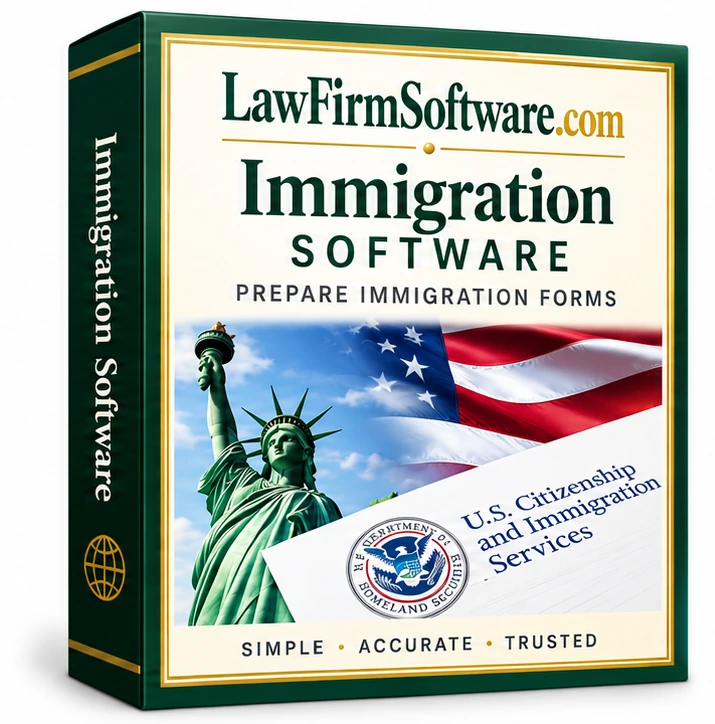
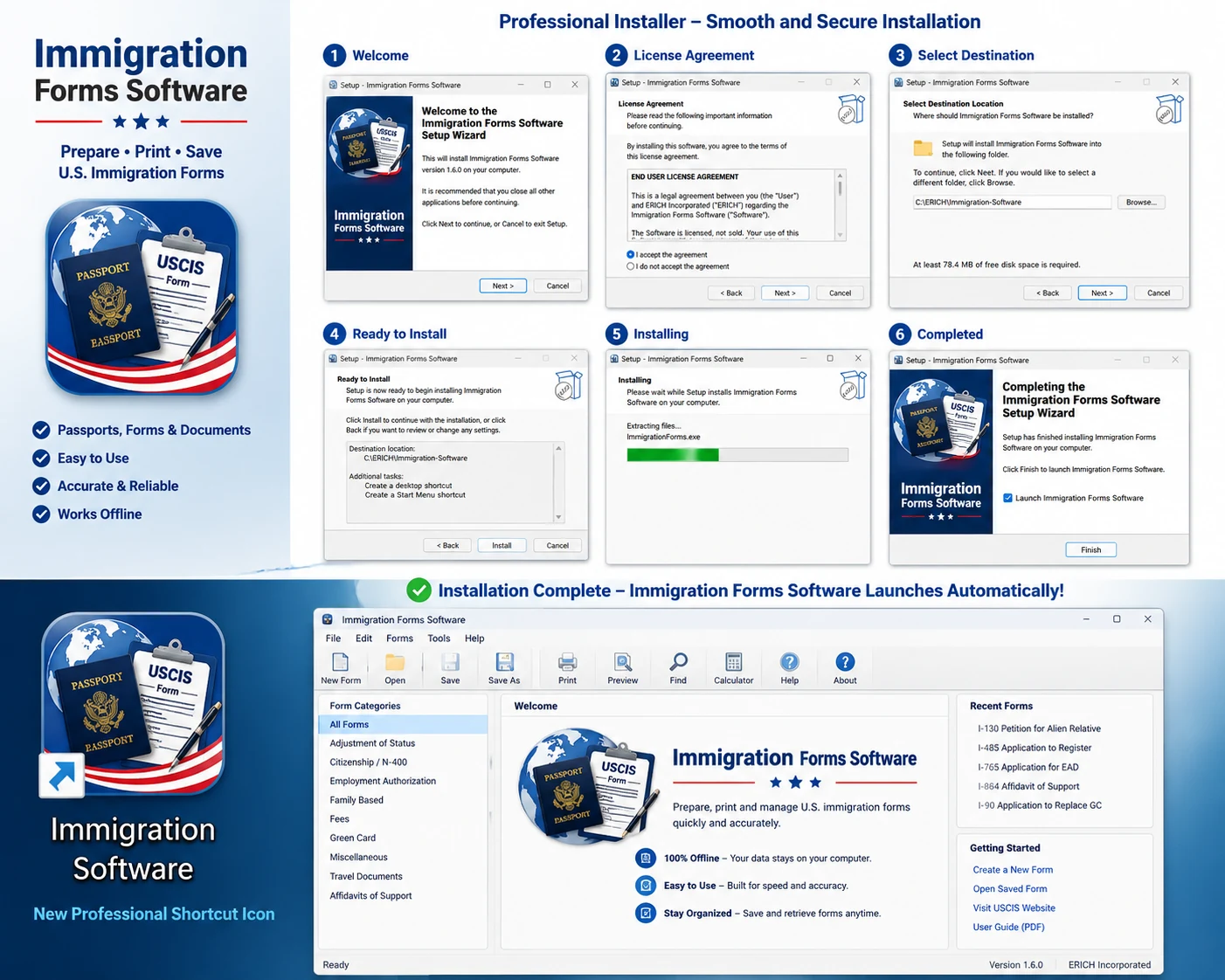
Setup & installation workflow
The installation guide shows the Windows setup sequence and the program launch screen so buyers know what delivery and installation look like.
Immigration software for law firms
Prepare supported USCIS immigration forms in a reusable Windows workflow for attorneys and law firms. Reuse client and case data across I-130, I-485, I-765 and N-400 matters, save files locally, and print or create PDF output. Download the free trial before purchasing the $149 license.
Download first. Purchase only if the current Windows workflow fits your office.
Download the Windows trial first. Purchase only if the current I-130, I-485, I-765 and N-400 workflow fits your office. Direct USCIS e-filing is not advertised as a current feature.
Search intent: immigration form preparation software
If your office is comparing immigration form software, immigration form preparation software, or USCIS form software for attorneys, the free trial lets you test the actual reusable workflow before buying.
Actual software screens
These screenshots show the actual Immigration Forms Software interface, including the I-130, I-130A and evidence-checklist workflow.
Click any screenshot to enlarge it, then use the arrows to review the rest of the workflow.
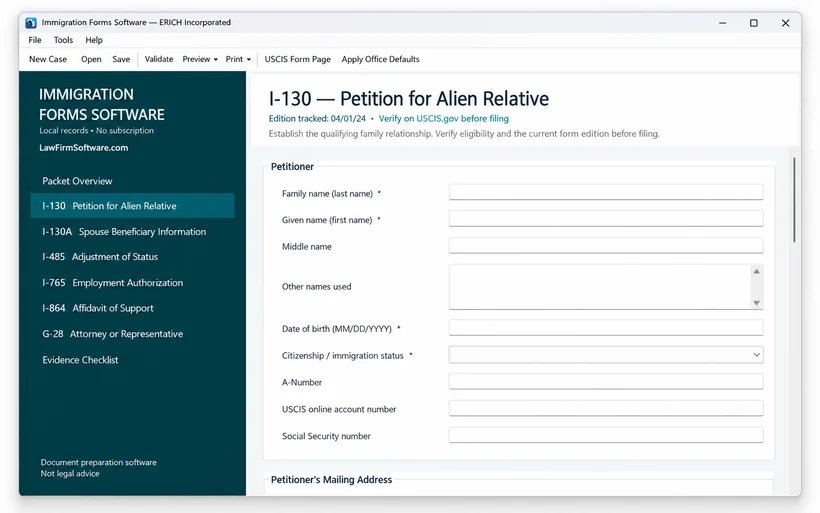
Actual software screen
The desktop workspace keeps case data, validation, preview and print tools together so your office can move through supported family-based preparation without jumping between unrelated programs.
More purchase proof
These visuals show the real setup sequence and working interface so you can judge the product before paying.
The installation guide shows the Windows setup sequence and the program launch screen so buyers know what delivery and installation look like.
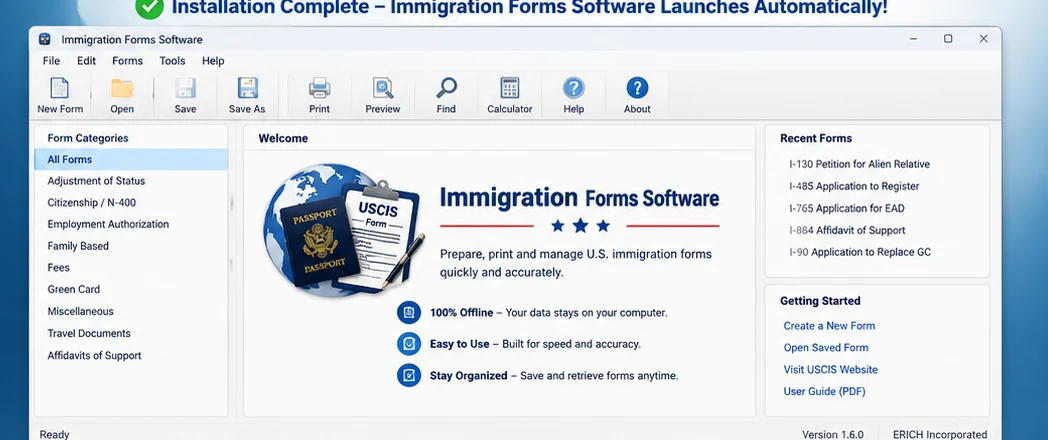
The application opens into a focused desktop workspace with form categories, recent forms and common tasks such as New, Open, Save, Print, Preview and Find.
Client-centered preparation
Immigration matters repeat the same names, addresses, family details, and case facts across forms. The software is designed to reduce that repetitive entry while keeping the workflow focused on form preparation.
Current highlighted workflows
Purchase confidence
Need to confirm licensing, updates, delivery, or a specific form edition? Email info@lawfirmsoftware.com before purchasing.
Try before you buy
Install the Windows trial, explore the supported workflow, and purchase only when you are ready to keep using the software.
Install the Windows trial at no charge before purchasing.
Open the confirmed I-130, I-485, I-765 and N-400 workflows and see how the software fits your practice.
Complete the one-time $149 purchase through PayPal when you are ready to register the software.
Email or call ERICH Incorporated if you have an installation or form-support question.
Want to see it first? Try the software now, then contact us if you need a specific form or edition confirmed.
Frequently asked questions
Yes. Download the Windows trial first and review the current workflow before deciding whether to purchase the $149 license.
The current website identifies Form I-130, Form I-485, Form I-765 and Form N-400 workflows. Confirm the form edition you need before purchasing.
The software is designed around central client and case information with repeated-field data reuse across related supported forms.
The current workflow includes local saved client files, print preview, printing and PDF-oriented form preparation output.
The product is presented as form-preparation, print and PDF software. Direct USCIS electronic filing is not advertised as a current feature.
No. The current Windows version is offered for $149 as a one-time purchase with no required monthly subscription.
The desktop workflow is designed around local Windows files rather than requiring a LawFirmSoftware.com cloud account.
See the free USCIS forms vs. immigration software guide and the Immigration Forms Resource Center.
Try it first
Download the trial and explore the current release on your Windows PC. If you still need a specific form or edition confirmed, email us and we can help.
Related free resources
Use these guides to review the supported form workflows and decide whether a reusable desktop program makes sense for your practice.
Free forms vs. repeat workflow
USCIS provides official forms and instructions at no charge. Immigration Forms Software is intended for offices that want a reusable Windows workflow around supported forms rather than starting with a blank government PDF for every matter.
Install the Windows trial and review the supported I-130, I-485, I-765 and N-400 workflow before purchasing. If it fits your office, the current license is $149 one-time.